Provisioning Service Principals
Provisioning Service Principals is required in order to turn on the Licensing settings that are used to activate the Workflow Manager and IEE's other add-on modules. IEE uses two Service Principals:
-
one to communicate with the Licensing API, and
-
another one to communicate with the Action Manager API.
Service Principals can be provisioned using the Tools section in the IEE Install Suite.
Note: Service Principal Provisioning is not required to successfully install IEE, but it is required to use IEE's licensing features.
Prerequisites
Itron Identity must be installed before provisioning Service Principals. Install Itron Platform before performing this procedure, as Itron Identity will be installed as part of Itron Platform. For details on installing Itron Platform, see the Itron Enterprise Edition (IEE) Meter Data Management (MDM) Installation, Configuration, and Upgrade Help.
-
On the IEE installation package, go to the IEE Install Suite folder, and launch the IEE Install Suite installer.
-
Double-click IEEInstallSuite.exe to open the file. This will start the extraction process for the contents of the installer. This may take several minutes.
-
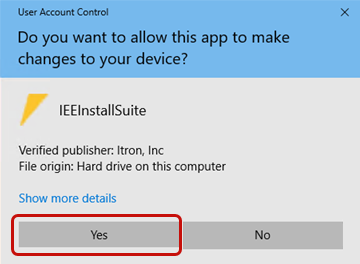
When the extraction process has completed, the User Account Control dialog will appear, click Yes.
-
On the Itron Software License Agreement screen, read the agreement, select I accept the terms in the license agreement, and then click Next.
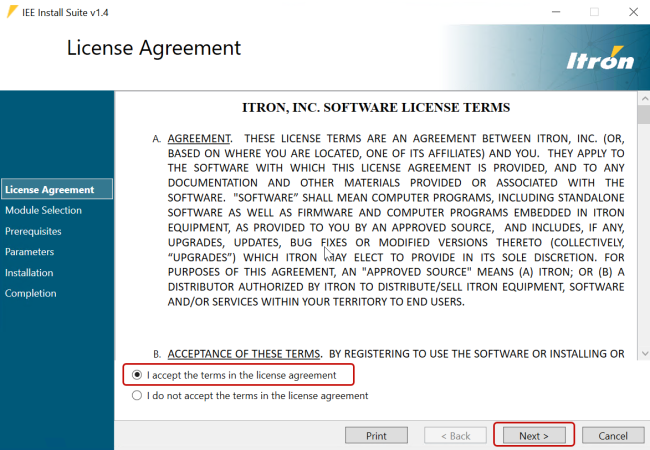
Note: You must install IEE Application Server before you can install additional products.
-
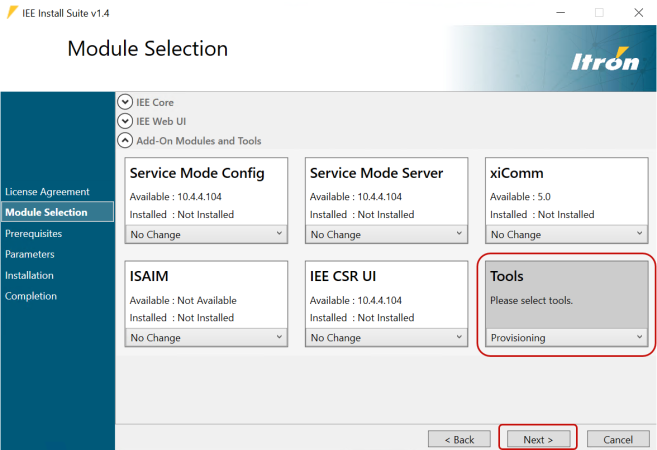
From the Tools dropdown menu, select Provisioning, and then click Next.
-
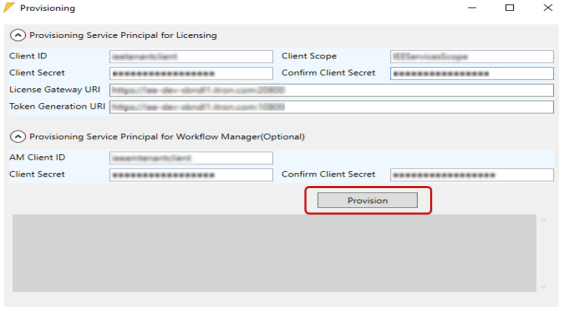
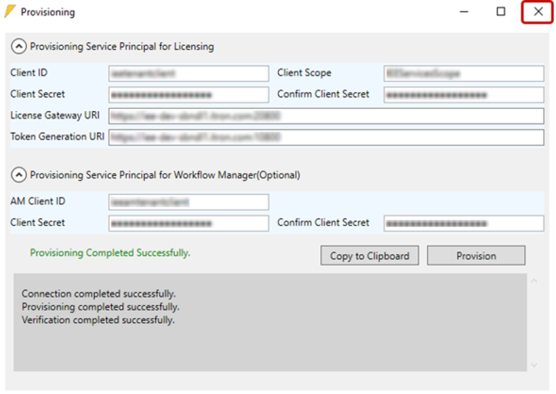
In the Provision Service Principal for Licensing dialog section, complete the following fields:
-
Client ID. Used for requesting access tokens from the Identity Server to access Licensing APIs.
-
Client Scope. Used by the Identity Server to determine the access that will be granted to an access token.
-
Client Secret: Enter your client secret for the Identity Server. Client secrets have an expected minimal complexity:
-
Minimal length: 16
-
Maximal length: 32
-
Required characters: Lower case, Upper case, numbers.
-
-
Confirm Client Secret: Re-enter your client secret for the Identity Server.
-
License Gateway URL. Identifies the Licensing REST API used for license verification.
-
Token Generation URL. Identifies the Licensing REST API used for license token generation.
-
-
In the Provisioning Service Principal for Workflow section, complete the following fields:
-
Action Manager Client ID
-
Client Secret
-
Confirm Client Secrets
-
-
Click Provision.
-
When the provisioning completes, click the X to close the Provisioning dialog.
-
To verify the service provisioning installed correctly:
-
Launch the IEE application.
-
Go to System Administration > System Admin > System Settings.
-
Click the Section dropdown menu and select Licensing. You should now see any add-on module settings you entered during this procedure.
-